
Frankenmuth Insurance is pleased to announce the ability for agents to now select where Commercial Lines policy declarations are delivered for new business, renewals, and policy changes, effective today, February 15, 2021.
To set agency level declaration delivery defaults, licensing and security administrators can log into iBIS Agency Services and select Administration > Profile Information > Agency Profile. Under the Default Settings, there are options for Agency Mail or Insured Mail. As we move through this transition, all commercial accounts will be set as a default to deliver to Agency Mail.
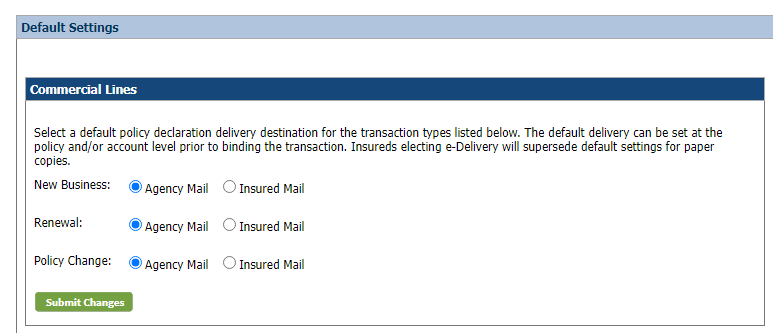
We encourage agents to update the default settings for your agency first. Once default settings are completed, you can then go to specific key accounts or within a transaction and change the default settings.
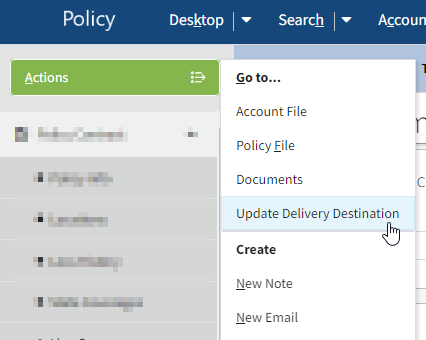
Updating the Delivery Destination for a Bound Policy
Log into iBIS Agency Services, search for the policy, and select the current term. Under Policy Actions, select Full Policy Details to launch into the Policy System. On the Policy Summary screen, go to the Actions Menu and select Update Delivery Destination. Once there, agents can select Deliver to Insured or Deliver to Agent.
This option modifies that policy and applies to all future transactions for the policy. Changes must be made on all policies for the account. No declarations will produce from this change.
Updating the Delivery Destination for a Transaction
During new business or any policy change, you can modify the default delivery destination for that transaction and modify it for future transactions.
Log into iBIS Agency Services, search for the policy, and select the desired policy number. Under Policy Actions, select Policy Change, and enter the effective date and description. On the Policy Information screen, click the Delivery Destination Details drop-down, and select Deliver to Agent or Deliver to Insured. You can also apply this change to all future transactions by selecting the check box. Then continue with processing.
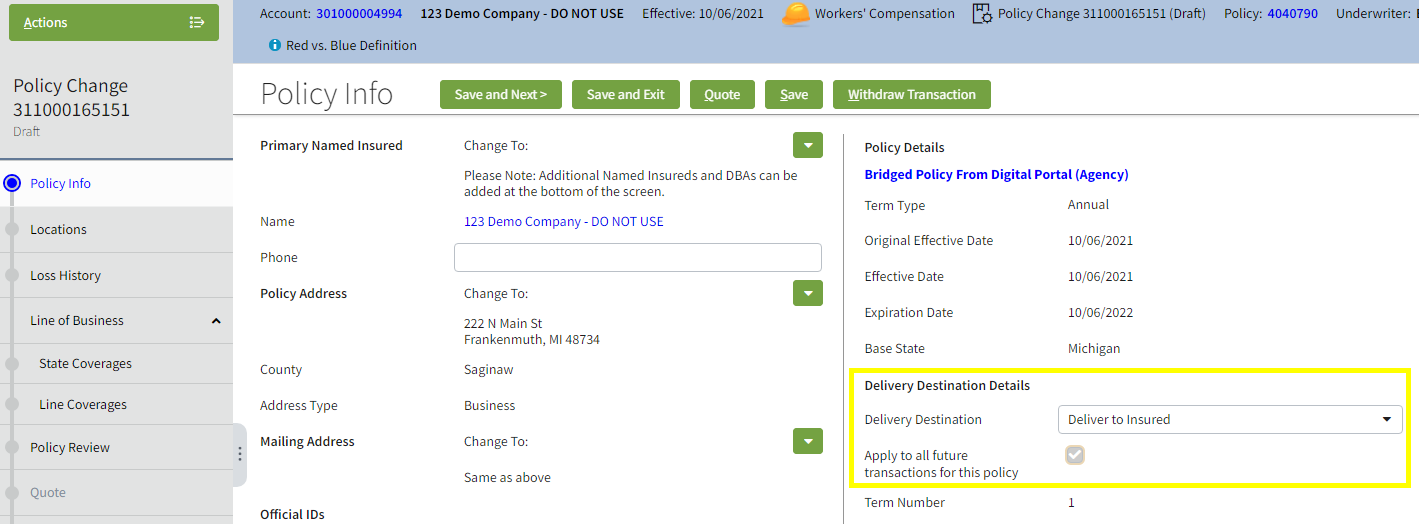
This option modifies that transaction and product only. Other products require a similar change. A declaration will produce, but the delivery destination will not be reflected on the document.
To find where a document was delivered, in iBIS Agency Services on the Policy Documents page, the Delivery Destination column will indicate if the document was sent to the insured or the agency. This will be displayed for policy declarations produced after February 11, 2022.
Policyholders who have opted into e-Delivery are not included in this update. Policyholder selections take precedence over all agency default selections.
For your reference, a job aid is available in iBIS Agency Services under the Resources tab on the Agency Education page. Should you have any questions, please contact Automation Support at 800-234-1133 ext. 3000 or agencyservices@fmins.com.
